Skip to content
Screenshots

See GatewayKit in action

From the drag-and-drop Form Builder and Elementor payment action to the admin dashboard and the customer's receipt — here's what GatewayKit actually looks like.

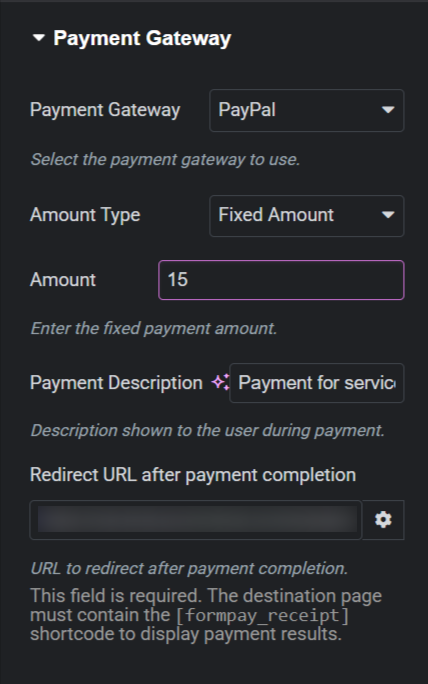
Payment Gateway action
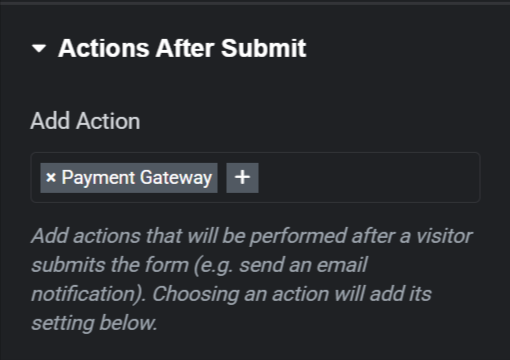
The GatewayKit “Payment Gateway” action inside Elementor Pro’s Actions After Submit, with its gateway, amount, and redirect controls.
WordPress Admin / General settings
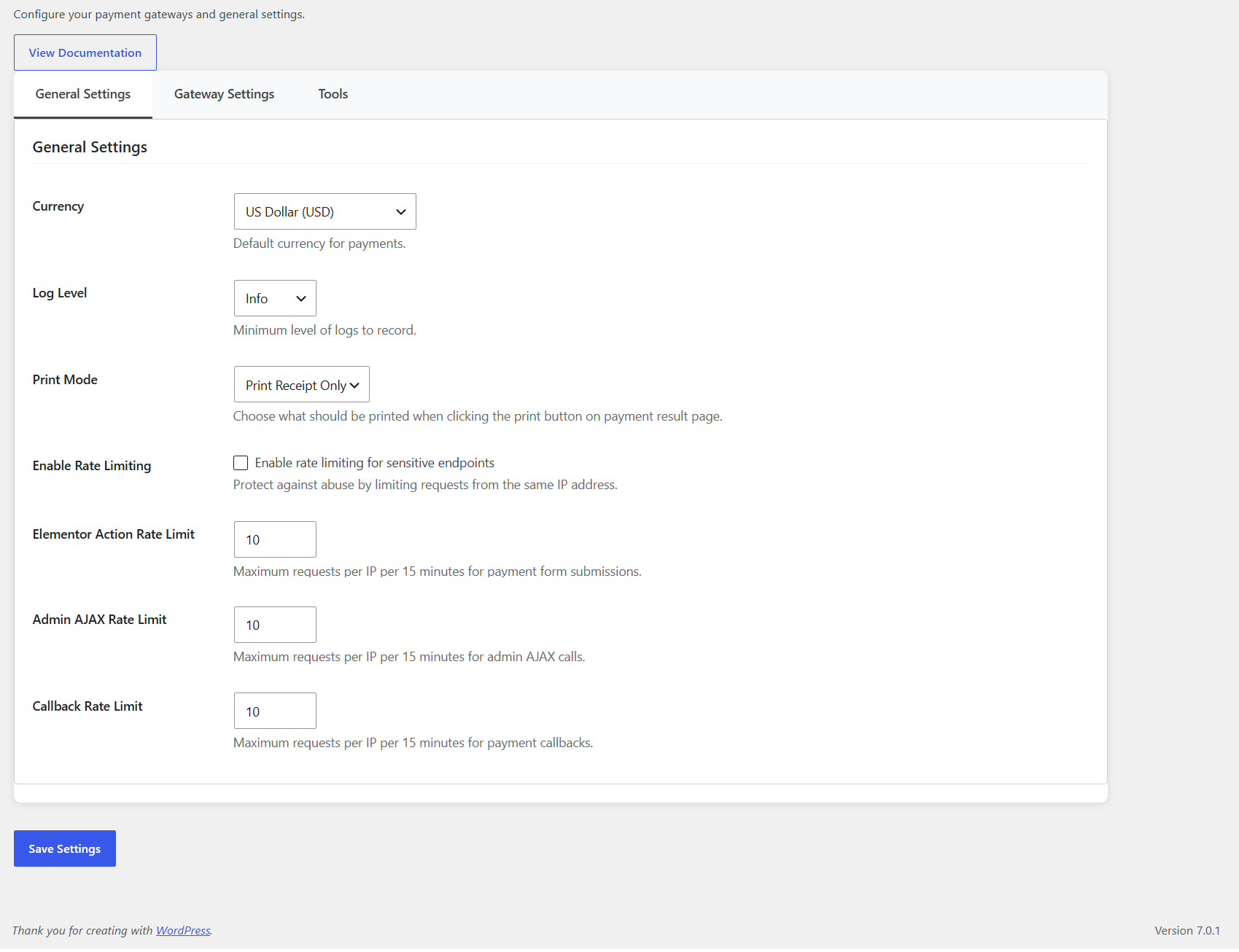
GatewayKit → Settings: currency, log level, print mode, and rate-limiting options.
WordPress Admin / Gateway configuration
Per-gateway cards for all 9 gateways — PayPal, Stripe, Mollie, Razorpay, Paystack, Mercado Pago, CoinGate, Coinify, and NOWPayments — credentials and Test Connection.
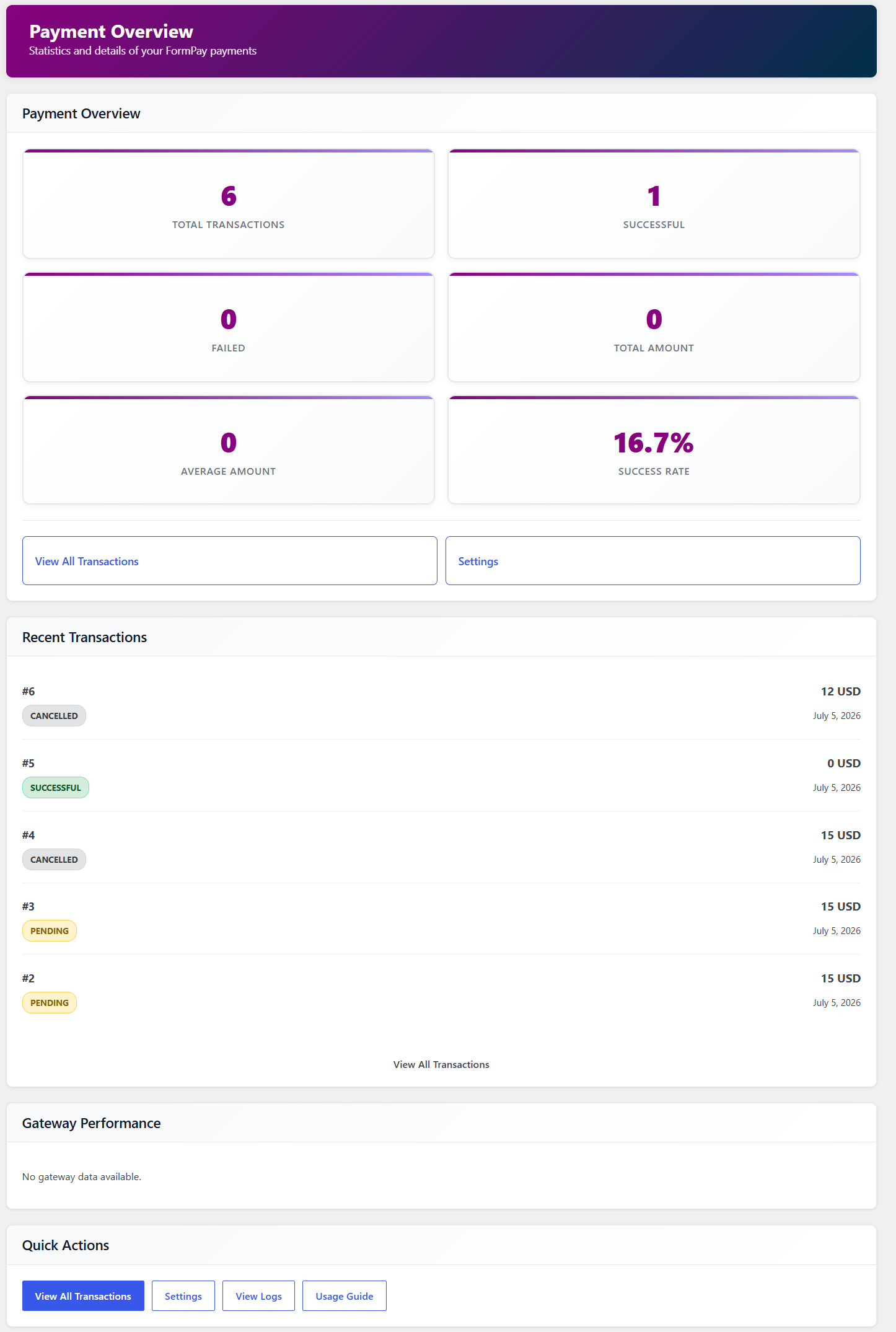
WordPress Admin / Dashboard
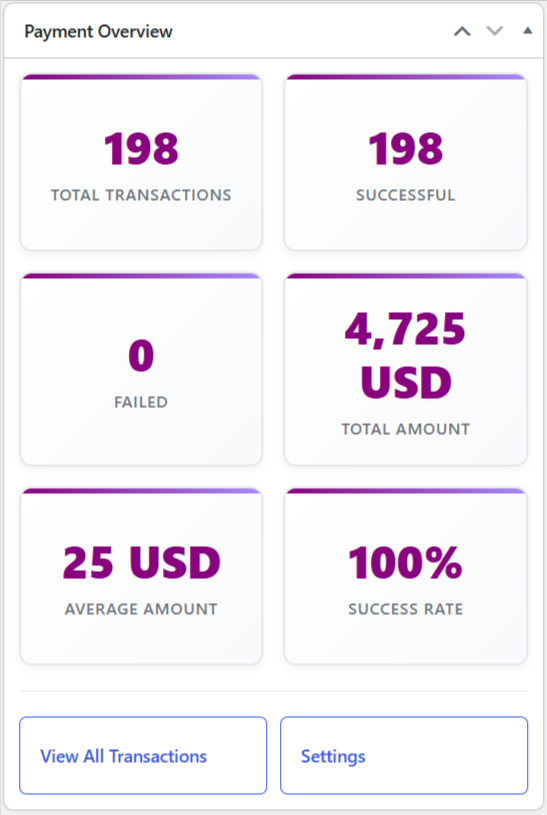
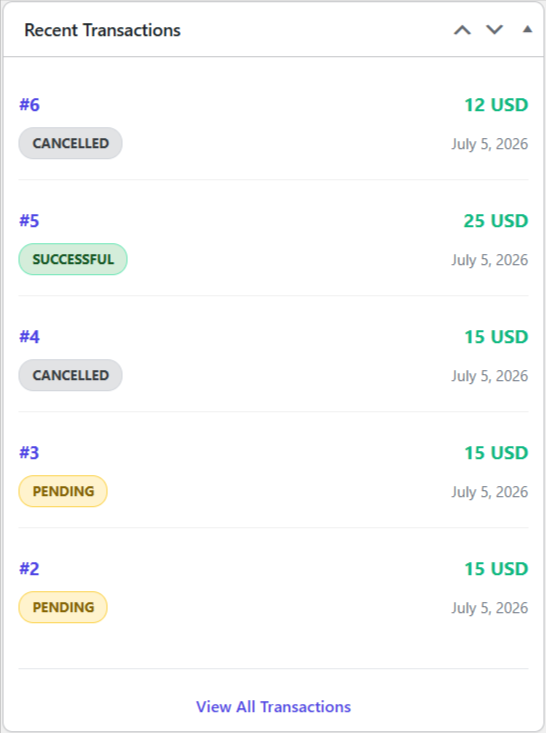
Overview widgets: totals, success rate, per-gateway stats, and recent transactions.
WordPress Admin / Transactions
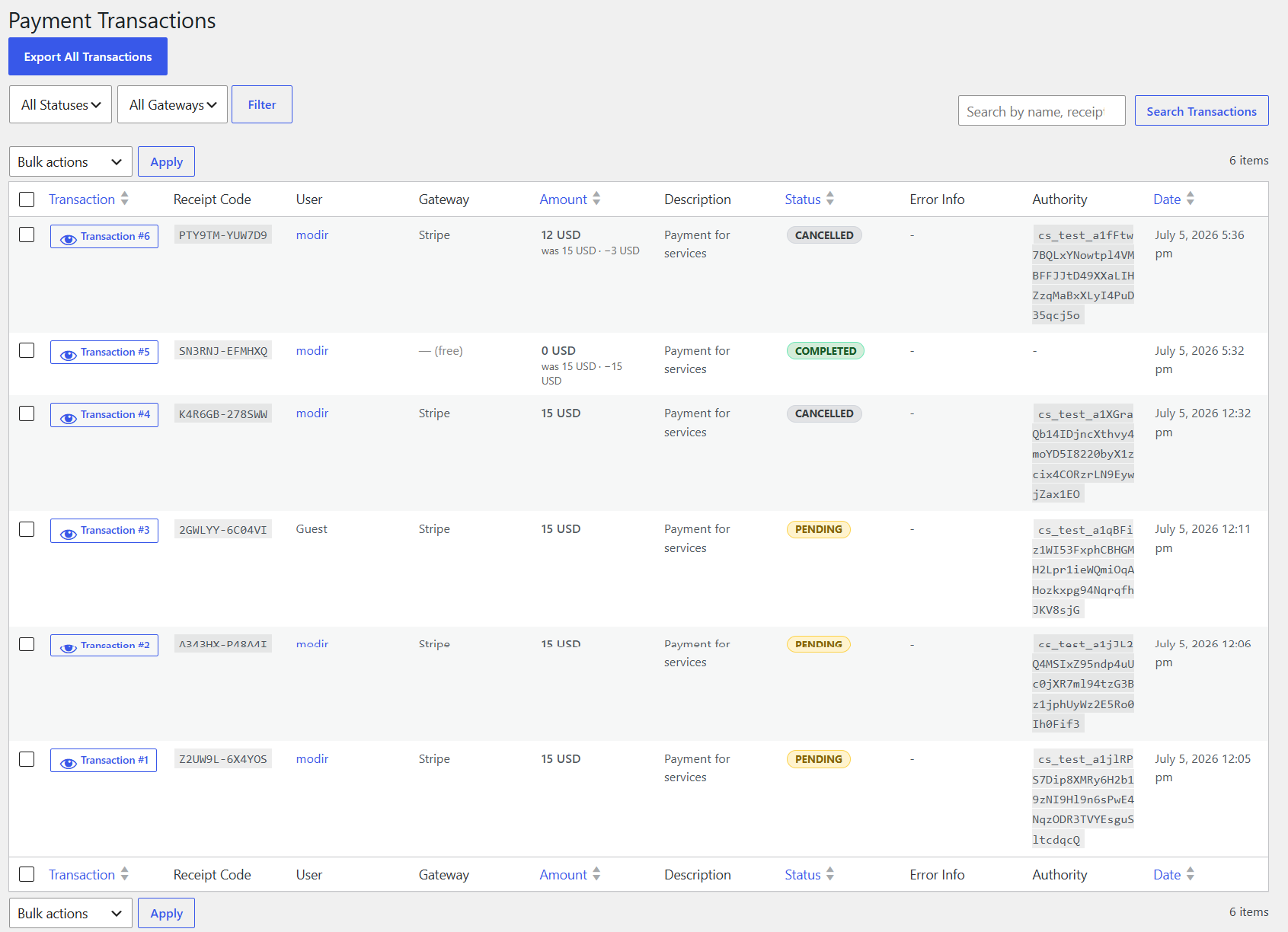
Searchable, filterable list of every payment — status/gateway filters, bulk actions, CSV export.
WordPress Admin / Transaction detail
Full gateway response, error details, form data, and user data for a single transaction.
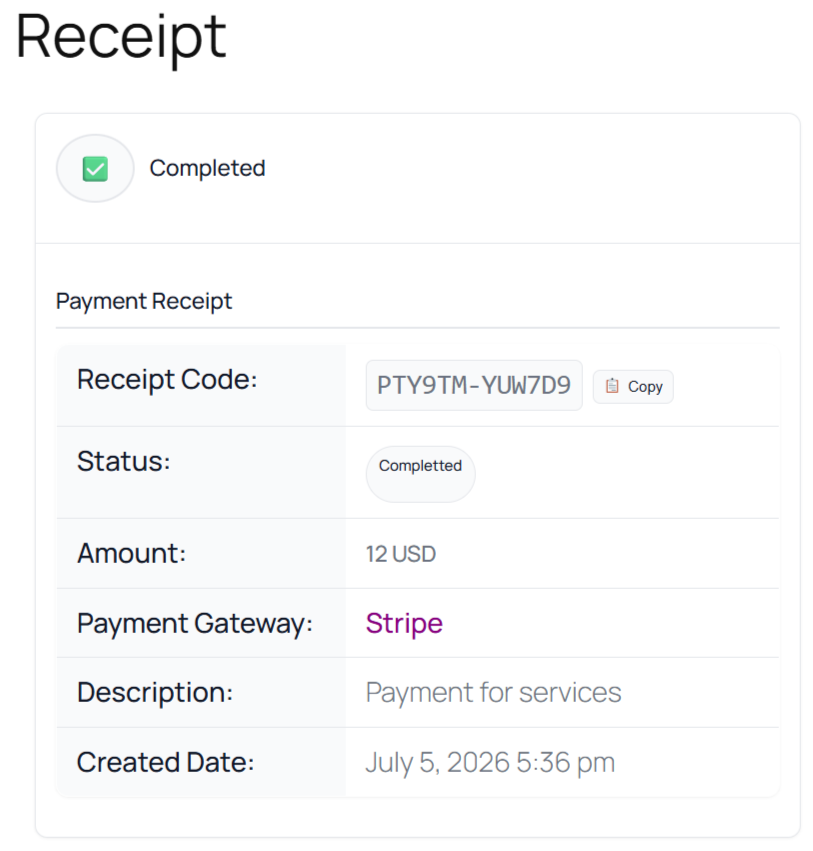
Payment receipt
The frontend [gatewaykit_receipt] page — status badge, amount, reference ID, tracking code, and print.
Payment receipt
The complete payment receipt with status, amount, gateway, and tracking details.
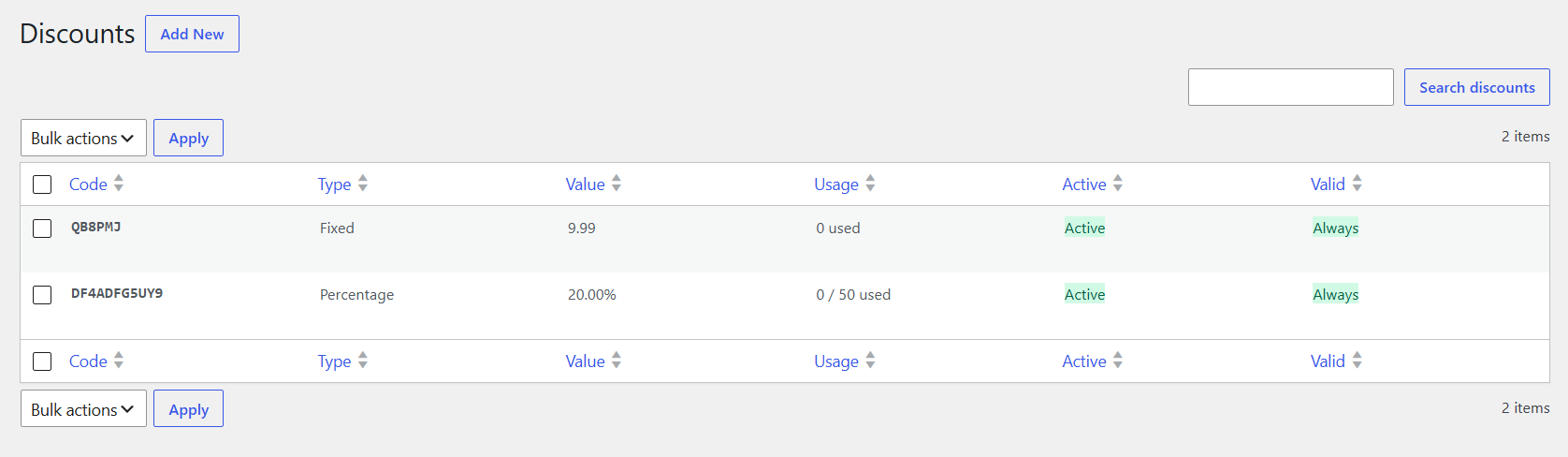
WordPress Admin / Discount codes
Create and manage fixed or percentage discount codes with usage limits and validity windows. Pro
Create and manage fixed or percentage discount codes with usage limits and validity windows.
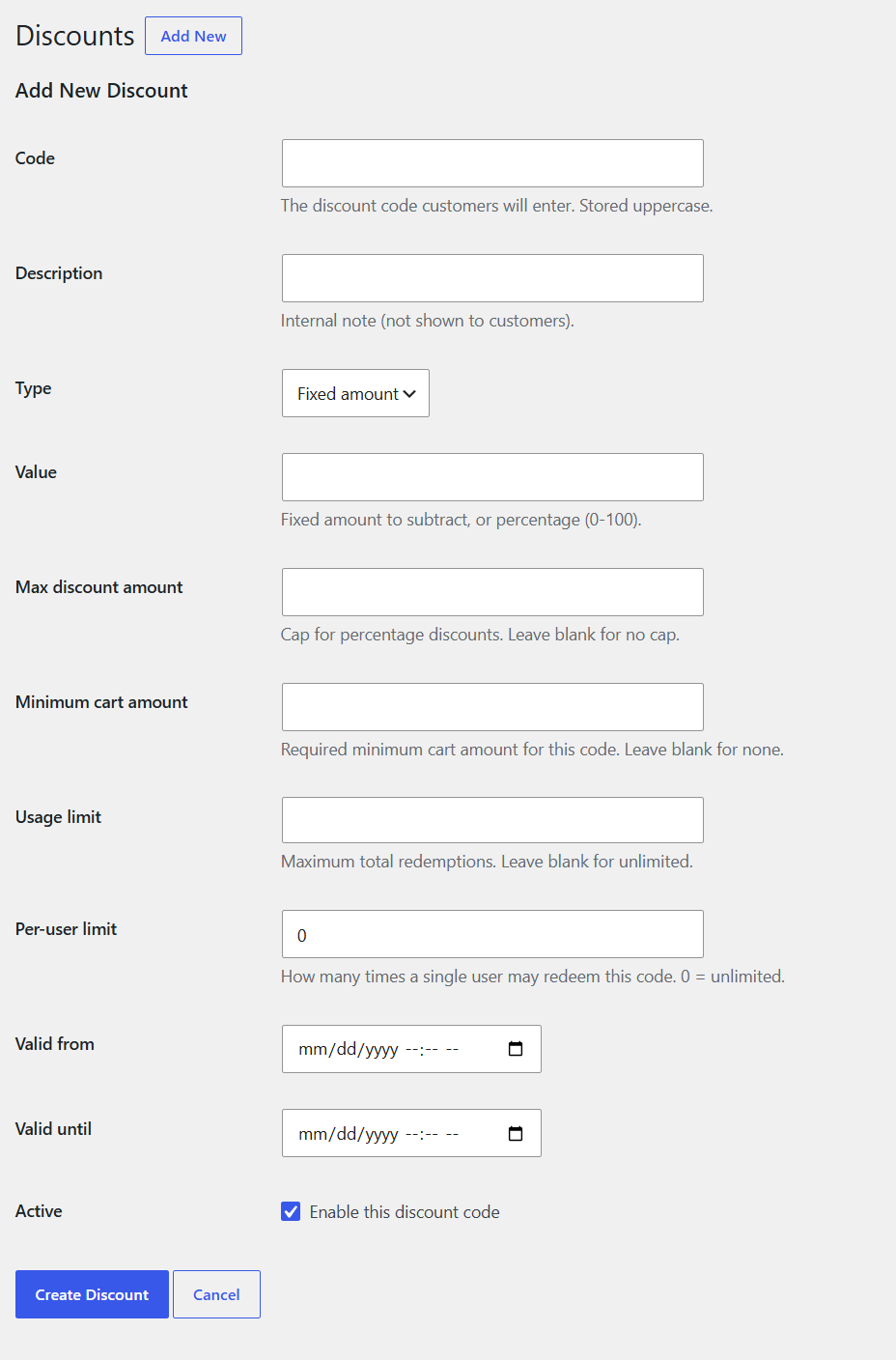
WordPress Admin / Create discount
Create a new discount code with type, value, usage limits, and validity windows. Pro
Create a new discount code with type, value, usage limits, and validity windows.
WordPress Admin / Transactions — Pro view
The shared Transactions page enhanced by Pro: CSV export of the filtered results. Pro
The shared Transactions page enhanced by Pro: CSV export of the filtered results.

Ready to accept payments?

Add GatewayKit to your WordPress site and start collecting payments in minutes — with or without Elementor.